Online Presentations Design Agency

Creating closeness in times of social distancing

Whether you present in Microsoft Teams, Zoom, Skype or Google Hangout,
when switching to online meetings, it is important that you optimize your presentation accordingly.

1. Have you created an overview?

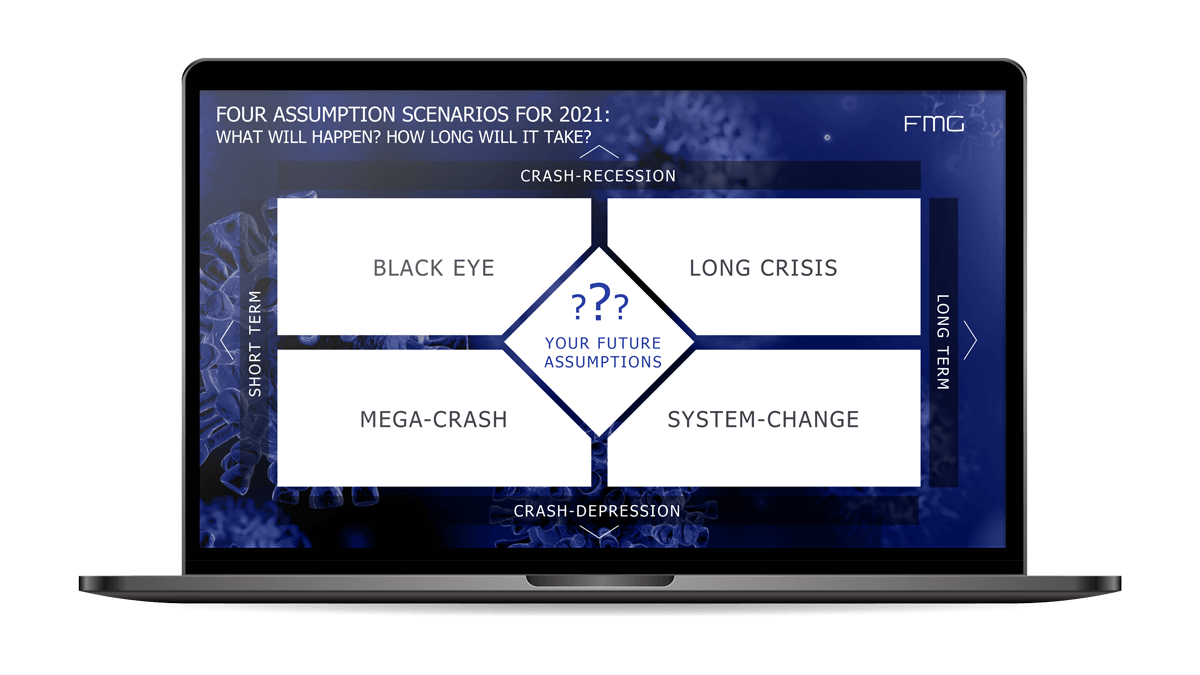
– Most presentation experts (including us) advise against having an agenda as an introduction in the presentations. But with online conferences, it’s a whole different ballgame. Since most topics cannot be processed in a linear fashion, but are rather more complex in structure, you should create the overview by means of a graphic (maybe something flashy) to create a wow factor and draw your audience in, so that the points can already be put into a construct visually. Like in this example:

four scenarios for the corona crisis.

online presentations overview as a graphic

2. Have you checked your content for online effectiveness?

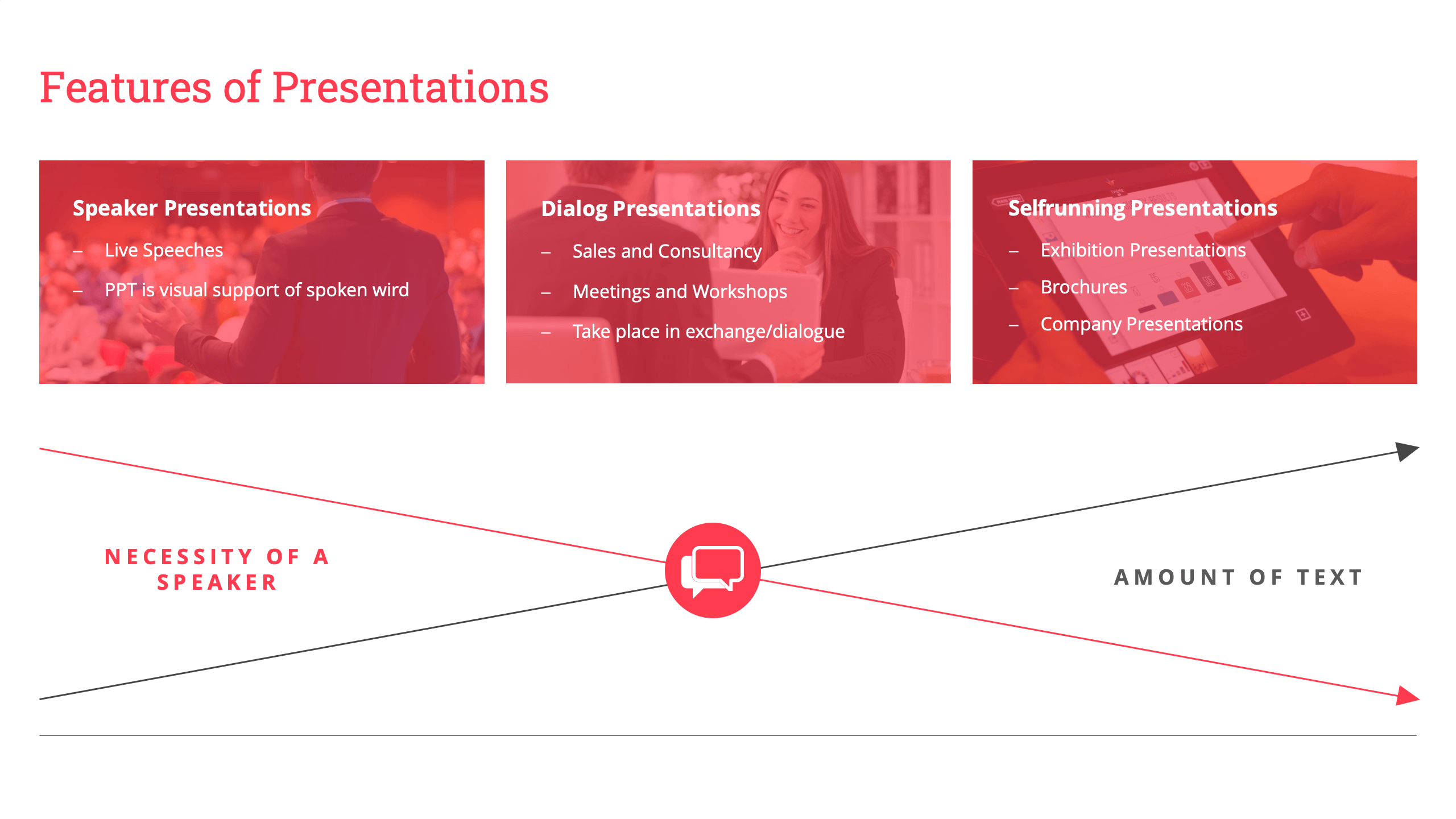
During online conferences or webinars attention of the participants is typically significantly lower. In presentations you pay attention to necessary and key features of a speaker’s presentation, because you are standing in front of your audience and your spoken word is being followed attentively. With online presentations design agency, you are far from being able to attract attention, simply due to the nature of it. Many listeners are occupied with something else on the side and much more susceptible to distraction, especially if they have set up their office camp in the kitchen at home with children and pets, for many of us this is currently the case. A place where online presentations, online meetings or webinars will be attended to with much less concentration.

Their presentation online must be more self-explanatory than offline. So we suggest to bring a little more content to your slides in the form of key points and graphics.

3. Have you adapted your font size to the online format?

– In a company presentation, you present via a projector or a large monitor. Smaller font sizes are easily seen and comprehendible in these cases. During home office hours you have to consider your viewers, who have to follow your online presentation on smaller laptops and tablets. Therefore, do not choose a font size smaller than 12 points and, if necessary, divide the content into additional slides.

online presentations format and font size graphic

4. Have you chosen the concept diagrams logically?

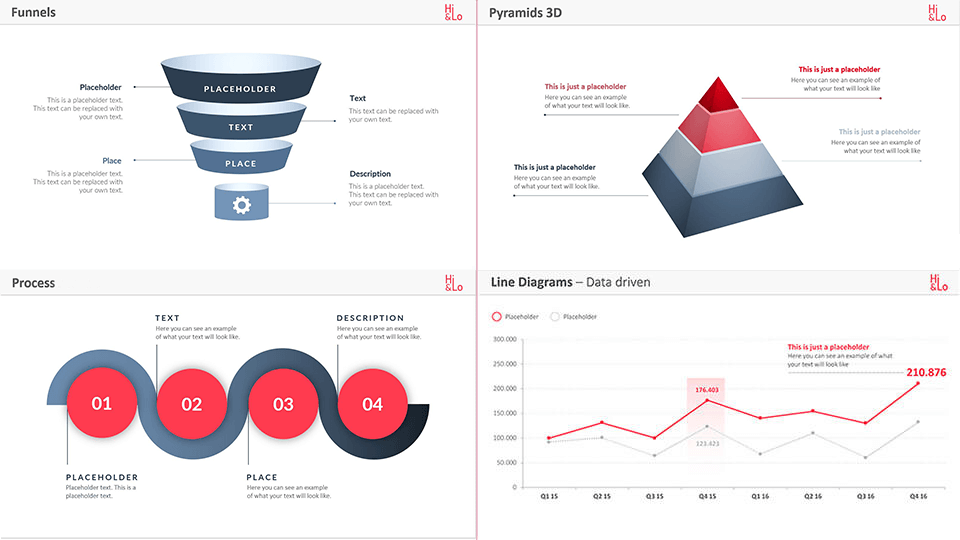
Presenters often choose standard concept charts for their content, even though they do not logically fit the content. A pyramid, for example, makes it clear that the points build on each other and that the most important things are usually at the top. Far too often a pyramid is chosen even though it should be a graphical list. Check whether your representation really corresponds to the logic. If it is content that is more likely to result from others, a process series or, in special cases, a funnel would be the better choice of graphic, for a better sense of efficiency.

5. Do you have useful animations in your PowerPoint?

Create a structure for your presentation that is cohesive and in proper alignment with the online setting: successive slides that do without overly buoyant animations, but chronologically do justice to the structure of your statement.

Before you START your online presentation, we have a few basic tips regarding online conferences. When taken into consideration, nothing should stand in the way of the success of your next online conference or webinar:

Ready…

Set: your background and ensure everything is well seen by viewers and that there are good lighting conditions. Find a bright room with sufficient lighting.

Tune: make sure your mic is on and mute audience if a constant noise level is emitted by the listeners and check the camera settings before the online conference starts

Ask: yourself questions that may come up and be prepared to answer

Refocus: continually refocus yourself and keep a level head to be prepared

Trust: yourself and know your audience will enjoy a presentation from you no matter where they are and that you will portray your presentation with presence even online.

Recent Customer Testimonials

“From the very beginning of the Corona crisis, we provided our clients with slides of scenarios and strategies for overcoming the crisis. Hi&Lo designed parallel to our work. We set the final point and were able to publish and present online a few minutes later.”

– Dr. Pero Mićić –

In these extraordinary times, even for a global corporation, communication must not be interrupted. Many of us have to work in home office. Meetings only take place online and it is more important than ever to have reliable tools and partners at our side.

With the online presentations Hi&Lo guides us through our meetings with usual competent advice – regardless of the time zone we are in.

Thanks for this great service. Hi&Lo again exceeded all expectations.

– Özlem Kamisli- Bayer –

Get a grip on the situation and we will support you.

You don’t have the time or the patience? You don’t know how to set up an online presentation to make the conference or meeting a success?

We offer the optimization, redesign and new conception of existing PowerPoint presentations. The design of functional PowerPoint master slides, chart collections and templates is also part of our core competence. We would be happy to advise you and discuss your online presentation concept, so that you can dive into the online world quickly and confidently.

Call Now Button